Plugins for everyday BigLaw work.
Three plugins covering litigation, transactional work and AI education. Developed by top legal quants.
Explore the plugins






11 practising lawyers.
Five weeks. Three plugins.
The release includes three plugins with 37 skill entries across them:
- Litigation — 15 skills: cite-check, client-update, correspondence, depositions, document-discovery, new-matter, organize-case-docs, pressuretest, docreview and writing, plus the five core skills shared with Transactional, below.
- Transactional — 14 skills: definition-check, read-redline, sigpack, closing-checklist, closing-bible, conform, diligence, playbook-builder and playbook-review, plus the same five core skills.
- Companion — 8 skills: legalquants, lq-apply, lq-ask, lq-connect, lq-mirror, lq-reflect and my-lq-moment, plus lq-start — the one core skill that ships in all three plugins.
- Core — 5 skills, shared by Litigation and Transactional: regulatory, legaldesign, timenarratives, wiki and lq-start.
The plugins combine shared workflows with tools for particular practice areas. Each skill provides instructions for a recurring task, including how to review the material and check the output. Where applicable, results include a record of the checks performed and references to the underlying sources.
See the skills in use
Seven demonstrations from the lawyers who built or tested the skills.
Built byJohn HughesChecking citations against supplied authorities
The skill checks whether supplied authorities support a document’s propositions, quotations and pinpoint citations. It produces an HTML report with supporting excerpts, source locations and unresolved items, alongside a record of review coverage.
The people behind the plugins
These contributors developed the skills, tested their behaviour and suggested changes.
Shared workflows
$legaldesign
$regulatory
$timenarratives

$wiki
$lq-start
Litigation
$cite-check $client-update $correspondence $depositions $document-discovery $new-matter $organize-case-docs $writing
$pressuretest

$docreview

$document-discovery
Transactional
$read-redline $conform $sigpack $closing-bible
Mike Kennedy
$playbook-builder $playbook-review

$closing-checklist

$definition-check
$diligence
Testing and feedback












On building the skills
John Hughes · On how the skills are tested
“…we're testing these in many cases on documents that might be 30-50 or even 100 pages long and making sure that they catch everything.”
Jamie Tso · On the project's beginnings
“It started with around seven to eight core skills, which we think captured the canonical work for all AmLaw 250 lawyers.”
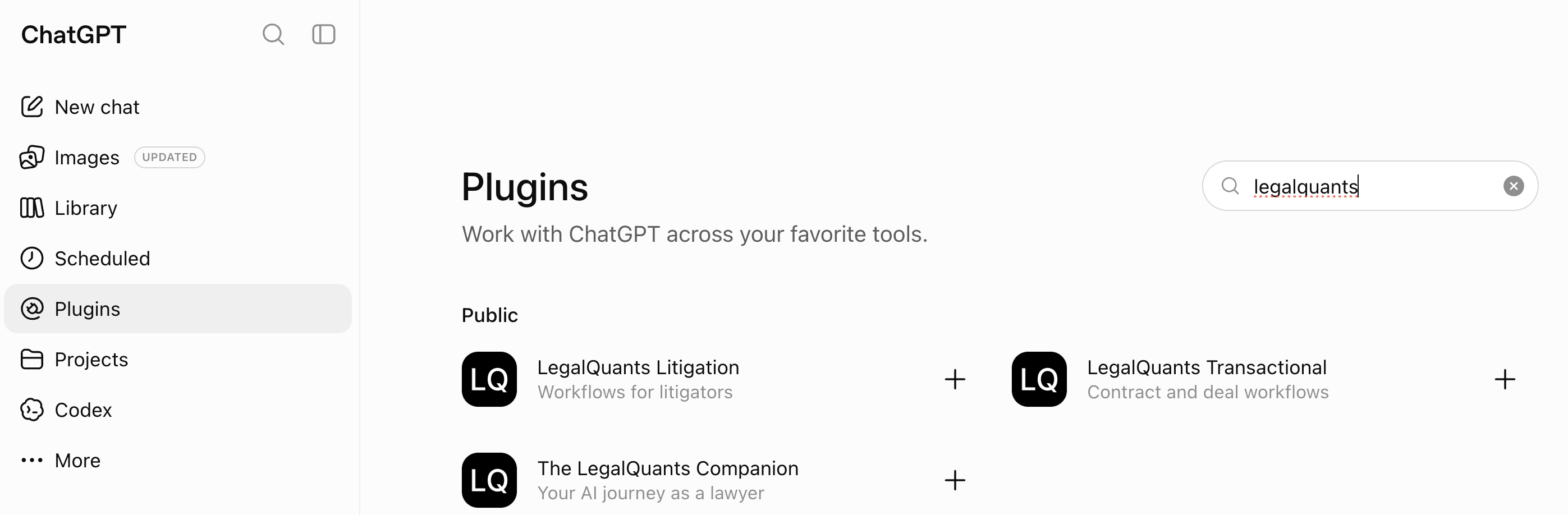
Open ChatGPT, go to Settings → Plugins, and search “LegalQuants”. Three plugins are listed:
- LegalQuants Litigation — Workflows for litigators
- LegalQuants Transactional — Contract and deal workflows
- The LegalQuants Companion — Your AI journey as a lawyer
Try the LegalQuants plugins.
The plugins are free and open source. Try them on your own workflows, review the results and adapt the instructions to your practice. If you want to tailor them to your matters or build something new, the Residency gives you one-to-one support from an LQ practitioner.
Building this for a team instead of yourself? Talk to us directly.